Free ROI calculator

Time Tracking ROI Calculator

Put in your team size, rates and admin time. With the default agency setup TimeCamp pays for itself in about 10 working days, or as soon as each billable person recovers 3 minutes a week. Every assumption is visible and editable.

Your team

Presets set the rate and cost only

Plan and billing

See full pricing

Assumptions

Nothing here needs filling in. The result is already calculated from typical numbers. Change what you know, leave the rest, and open any i to see where a default comes from.

Estimates, not a guarantee. Gross value before tax. Your numbers stay in your browser. See full pricing

4.7 (1500+ reviews)

Crafted locally, trusted globally

The model

How the ROI of time tracking is calculated

Two sources of value, one cost, and every number on the screen.

ROI = (gross value minus cost) ÷ cost × 100

The first source of value is billable hours that were worked but never made it onto an invoice, recovered and billed at your rate. The second is the time your team spends filling in, chasing and correcting timesheets, valued at your internal cost per hour. The cost side is the licence price for every seat plus the hours your team spends getting set up.

With the default agency setup, 15 billable people at $120 an hour recovering one hour a week at an 80% realization rate over 46 working weeks is $66,240. Thirty minutes of timesheet admin a week for 20 people, halved, at $45 an hour is $10,350. Together that is $76,590 of gross value against $3,297.60 of cost, which is an ROI of 2,223%.

Payback period

Payback is the cost divided by the value produced per working day, across 230 working days. For the default setup that is 9.9 working days.

Break-even: 3 minutes a week

Break-even minutes = cost ÷ (billable people × weeks × rate × realization) × 60

Ignore the admin saving completely and ask how much billable time alone has to come back to cover the cost. The cost divided by the billable value of one hour a week per billable person gives 2.99 minutes. If every billable person recovers three minutes a week, the cost is covered.

"One forgotten extra 15 minutes, 4 times a month, and TimeCamp already paid for itself."

Marek Wiśniewski Operation & Maintenance Manager, DWS
Where the money is

How TimeCamp delivers the return

TimeCamp is time tracking and project profitability software that records how time is spent, turns it into billable hours and invoices, and shows which projects make money. Here is where that shows up in your result.

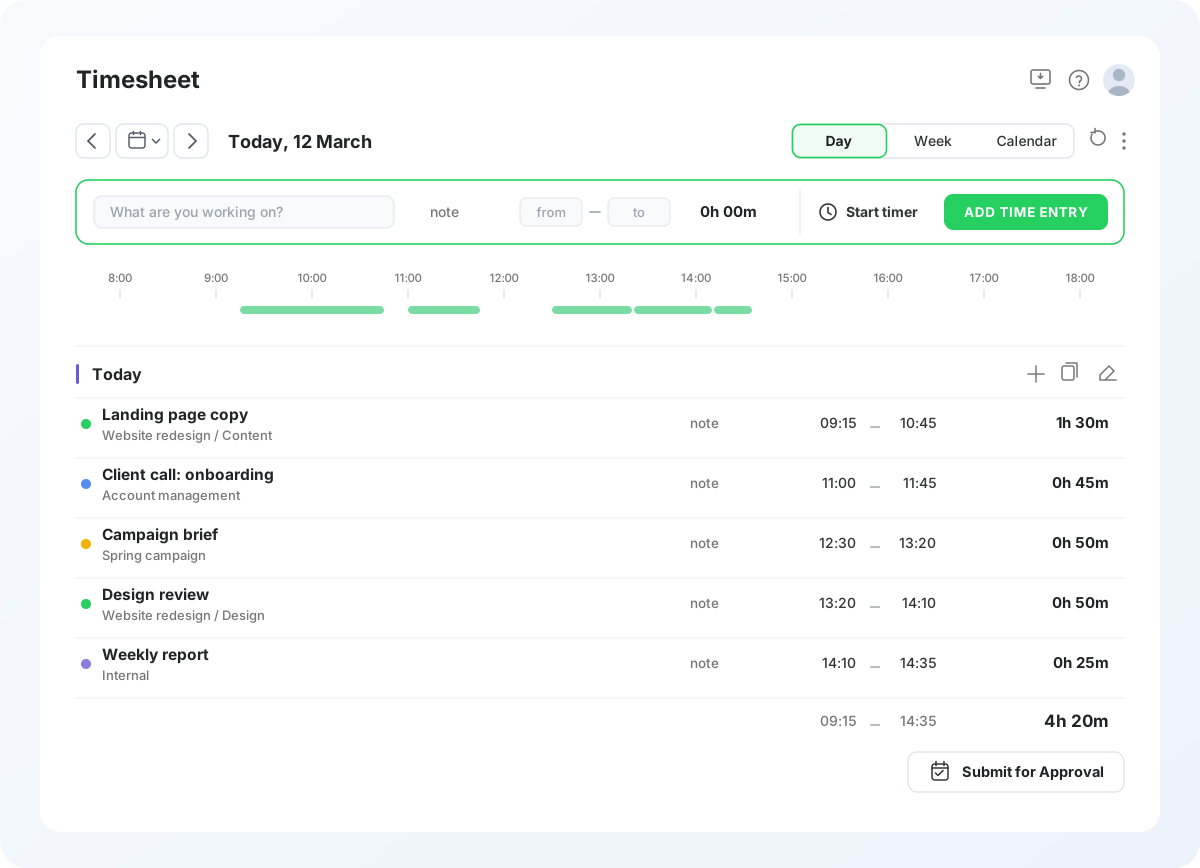
A day of time entries recorded in TimeCamp as the work happens, with the hours totalled at the bottom and ready to submit.
Recovered hours

Billable hours that get recorded

Work written up from memory a week later loses hours. The desktop app records time automatically and AI Time Tracker suggests entries from your computer activity, so hours reach the timesheet while they are still accurate. Counted in your result: recovered hours times your rate times your realization rate.

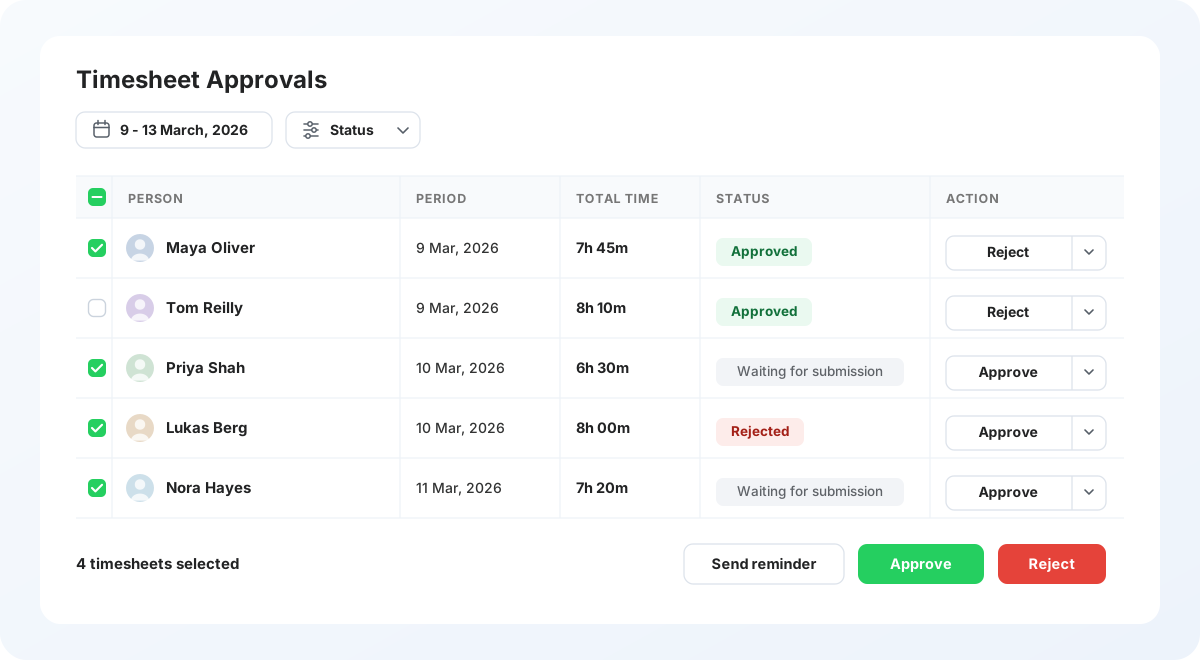
A manager reviewing a week of timesheets in TimeCamp and approving four of them in one action.
Admin time

Timesheet admin that disappears

Filling in, chasing and correcting timesheets is unbilled work for everyone, including the manager who assembles the report. Timesheet approvals on the Ultimate plan collect, review and approve the team's timesheets in one view. Counted in your result: admin minutes saved times your internal cost per hour.

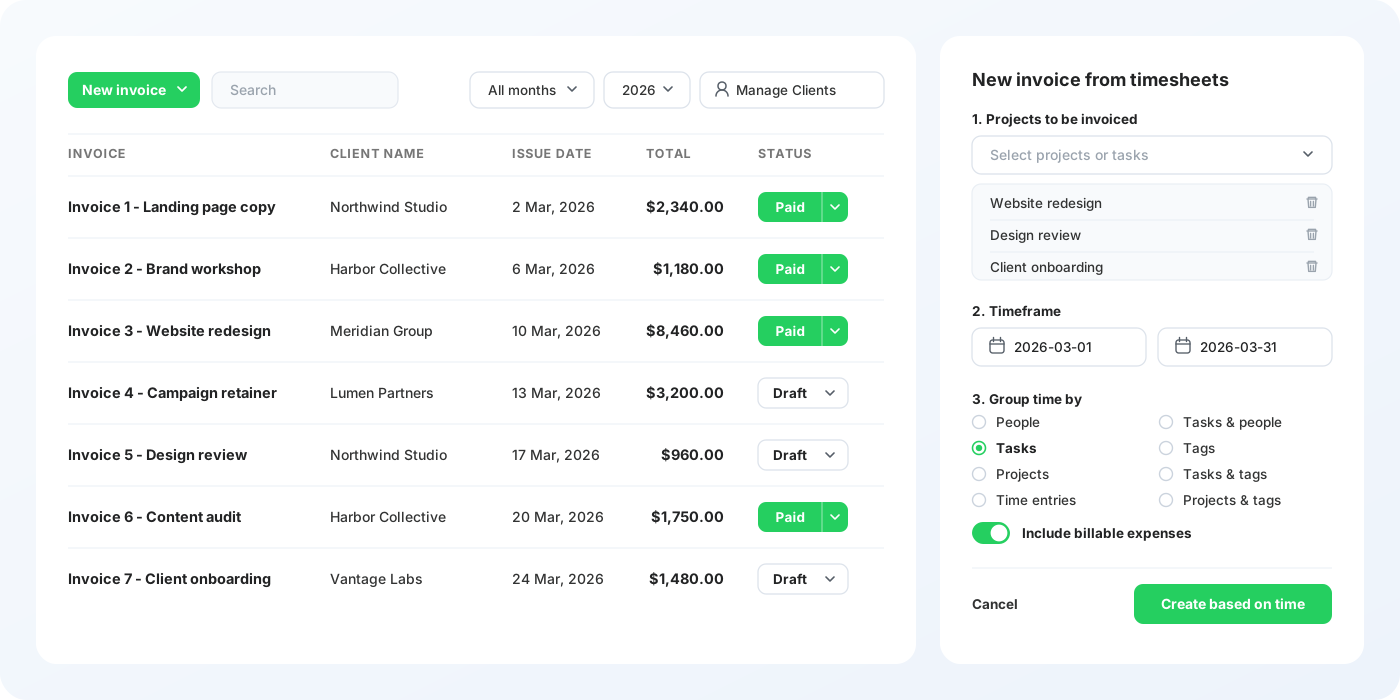
Client invoices in TimeCamp beside the panel that builds a new invoice from tracked time for a chosen month.
Margin

Faster invoicing and better estimates

Invoices built from approved hours at your billing rates go out sooner, and budgets and labour costs show which projects earn. Both are real but too variable to put a number on, so they stay out of your result.

AI Time Tracker

Spend less of your 30 minutes a week on timesheets

Your calculation assumes 30 minutes a week per person on timesheets. AI Time Tracker suggests time entries from your computer activity, and nothing reaches your timesheet until you confirm it.

  • Free to download
  • No signup needed
  • Windows and macOS (Apple silicon)

macOS needs Apple silicon (M1 or later).

The cost side

What time tracking costs

Per user per month, US dollars.
PlanBilled annually Billed monthlyWhat it adds for ROI
Starter $3.99 $5.49 Invoicing, attendance, time off. No billable rates.
Premium $6.99 $9.99 Billable time, budgets and estimates, one integration.
Ultimate $9.99 $13.99 Billing rates, timesheet approvals, labour costs, expenses.
Enterprise Contact sales Contact sales Contract pricing, self hosted or private cloud.

Total cost of ownership

The licence is the visible part. The rest is the hours your team spends on setup, which the calculator values at your internal cost per hour and charges in full to year one. Migration from an existing tool, integrations and admin time after the first month are not included. Above 50 seats on an annual plan the price is negotiated, so treat the figure here as a ceiling. See the full plan comparison.

Honest numbers

How to read the numbers honestly

Same team, same prices, three sets of assumptions. The spread is the point.

ScenarioHours recoveredAdmin saved Gross valueROIPayback
Conservative0.25 h / week25%$21,735.00559%34.9 days
Expected1 h / week50%$76,590.002,223%9.9 days
Optimistic2 h / week75%$148,005.004,388%5.1 days

Gross value, not cash

Recovered hours are worth money only if there is demand to fill them and a client to bill them to. The result is the value of the time, not an amount that lands in the bank.

What this calculator does not count

  • Faster invoicing and the cash flow that comes with it.
  • Better estimates on future work.
  • Whatever you already spend on the tool you use today.
  • The habit building in month one, which is real and temporary.

See these numbers on your own timesheets

Start on a free 14-day trial, or bring your result to a 30 minute call and we go through it with your rates.

14-day free trialFree planNo credit card
Benchmarks

ROI by team type

The same model, different places where the hours hide.

Agencies

Utilisation decides the year, and the hours that never reach a timesheet are the ones that quietly lower it.

Consultancies

High rates make every unrecorded hour expensive, so the break-even sits about two minutes a week per person.

Law firms and accountants

The gap between hours worked, hours billed and hours collected is where the revenue goes. Switch the preset above to see it in your rates.

Internal teams

No client rate, so the return is admin and reporting time. The default internal setup returns 304%, with payback on working day 56.9.

After you buy

How to measure ROI after 90 days

Five numbers, each of them in a report you already have.

01

Billable hours per person

Timesheet report, filtered to billable time, against the quarter before.

02

Billable share of tracked time

Billable against total hours, per person and per team.

03

Time to approval

How long an entry sits before it is approved, from the approvals view.

04

Hours over budget

Budget and estimates report, projects that passed their estimate.

05

Hours spent on admin

Ask the team once a quarter. No report can give you this one.

Frequently Asked Questions

With the default agency setup it returns $23.23 of gross value for every $1 spent, and pays for itself in about 10 working days. The return comes from billable hours that were worked but never invoiced, plus timesheet admin that disappears. Run your own rates above, because the answer depends on them.

Take the gross value, subtract the cost, divide by the cost. Gross value is recovered billable hours times your rate times your realization rate, plus admin hours saved times your internal cost. Cost is the licence for every seat plus setup hours.

9.9 working days with the default setup, 34.9 in the conservative scenario. Payback is the cost divided by the value produced per working day across 230 working days.

$4,416 a year per billable person at $120 an hour, 46 weeks and an 80% realization rate. That single hour is usually the difference between a timesheet filled in on the day and one written up from memory.

Three minutes a week per billable person. At 15 billable people on Ultimate billed annually, 2.99 minutes of recovered billable time a week covers the whole cost.

Yes. The licence price comes from the pricing page and is charged for every seat, not only billable ones, plus the hours your team spends on setup valued at your internal cost.

Switch to the internal team mode. It counts the admin and reporting time you get back, valued at your internal cost. The default internal setup returns 304%, with payback on working day 56.9.

Ultimate if you bill clients, because billing rates and timesheet approvals are on that plan. Premium is enough for internal teams that need billable time and budgets. Starter has invoicing and attendance but no billable rates.

Because the assumptions are visible and the cost of the software is in the result. Figures in the thousands of percent usually leave out the licence or assume a recovery rate nobody could repeat.

Faster invoicing, better estimates on future work, whatever you spend on your current tool, and the habit building in month one. Each is real and none of them is stable enough to put a number on.

No. The result is the gross value of time, not cash. Recovered hours turn into revenue only if there is demand to fill them and a client to bill them to.

Yes. Copy the result link, download the one page summary, or bring the figures to a demo so the call starts from your numbers rather than a generic walkthrough.

Three minutes a week per person covers it

Join 18,000+ teams and see where your hours actually go.

14-day free trial No credit card
Capterra rating
G2 rating
GetApp rating
TimeCamp award badge