Server prepared your way
You can configure the server on your side, and we'll provide security recommendations, such as key-only SSH access, or we can deliver a secured machine with TimeCamp already installed.

4.7 (1500+ reviews)

Crafted locally, trusted globally


For privacy-oriented companies, we offer two implementation options, depending on your organization's demands and requirements: private cloud and self-hosted.
 Private-cloud
Time tracking data sits in a cloud environment your organization controls.
 Self-hosted
TimeCamp runs in the infrastructure you own, administered by your IT team.
Self-hosted is about how the system is deployed and managed. Private cloud, on the other hand, describes the environment it runs in. A self-hosted application can run in a private cloud, so be sure to define both when discussing your requirements.
How is self-hosted time tracking software different from our cloud service? Review below and choose the option that best meets your organization's needs.
| Feature | SaaS | Self-hosted |
|---|---|---|
| Data entry method | Infrastructure we operate | Your servers or private cloud |
| Environment administration | TimeCamp | Your IT team |
| Updates | Managed by TimeCamp | Performed by TimeCamp, roughly every 3 months |
| Backups | Included | Your IT team |
| Commercial model | Subscription per user | Annual license per user, from 30 users |
| Feature | SaaS |
|---|---|
| Data entry method | Infrastructure we operate |
| Environment administration | TimeCamp |
| Updates | Managed by TimeCamp |
| Backups | Included |
| Commercial model | Subscription per user |
| Feature | Self-hosted |
|---|---|
| Data entry method | Your servers or private cloud |
| Environment administration | Your IT team |
| Updates | Performed by TimeCamp, roughly every 3 months |
| Backups | Your IT team |
| Commercial model | Annual license per user, from 30 users |
Deploy TimeCamp within your infrastructure and access core TimeCamp features, including time tracking, timesheets, invoicing, project budgets, reports, attendance, and more.
Track working hours and break them down by project, client, or work milestone. Our team tailors the web and desktop app to your organization's needs during deployment, so you can keep data sovereignty without sacrificing TimeCamp service quality.
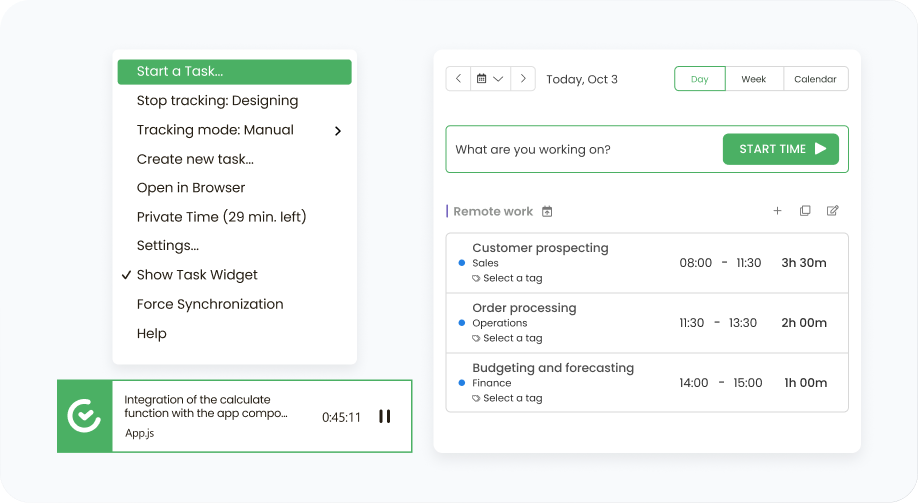
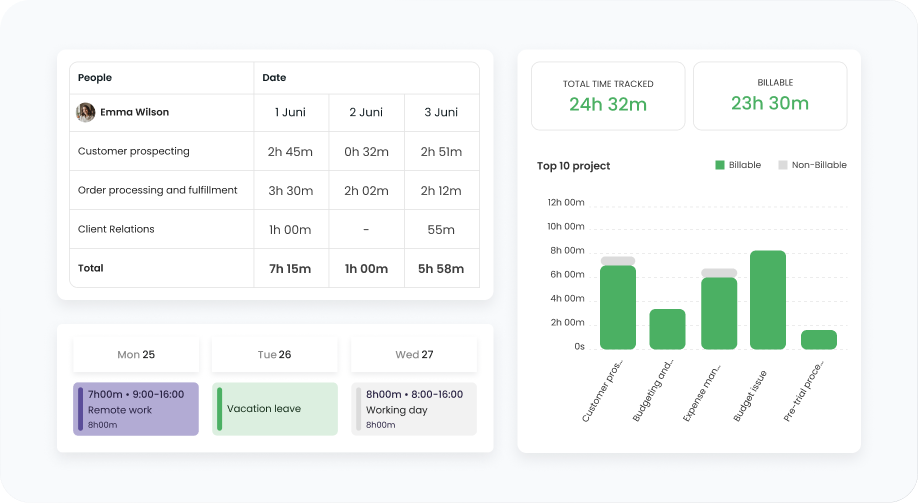
View timesheets, detailed reports, attendance, and other modules the same way as the cloud version. Self-hosted deployment is just how you manage TimeCamp, and it doesn't change how it shows you the data, so you use the system you're already familiar with, customized on your own terms.
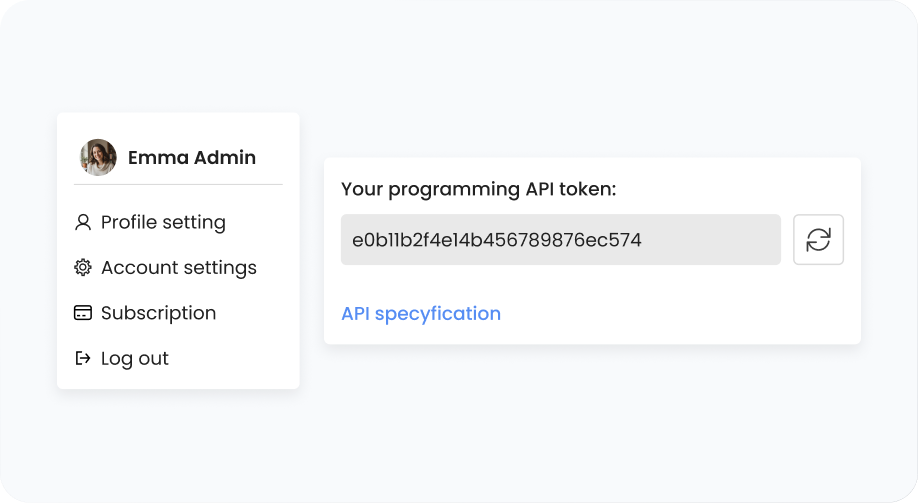
Self-hosted architecture stores your time data in a database your own IT team administers, so you can query it whenever you need instead of waiting for external exports. Use the API to connect TimeCamp to tools outside our current integrations. We can configure a BI dashboard for your organization during deployment.
Book a call with us to choose precisely which TimeCamp features, modules, and integrations to include in your workflow.
Schedule demo

Each deployment starts with a session with our implementation team, so we can review and configure your environment together.

You can configure the server on your side, and we'll provide security recommendations, such as key-only SSH access, or we can deliver a secured machine with TimeCamp already installed.

Together, we can specify the domain your team will use and how your SSL certificate is provided. Then, your users sign in through your identity provider via SAML 2.0, and user and organizational structure sync via Active Directory.

Self-hosted deployment also includes a desktop app tailored to your requirements, ready for installation per user or per computer, and distributed the same way you handle other tools.
The system is deployed within your infrastructure, but TimeCamp still takes care of updates, monitoring, and recovery of the application, under the terms of your deployment agreement.
| Responsibility | Your IT team | TimeCamp |
|---|---|---|
| Backups |

|
No |
| Application updates | No |
|
| Recovery and monitoring | No |
|
| Application security | No |
|
| Server security | When you prepare the server, following our recommendations | When we prepare and ship the machine |
| Responsibility | Your IT team |
|---|---|
| Backups |
|
| Server security | When you prepare the server, following our recommendations |
| Responsibility | TimeCamp |
|---|---|
| Application updates |
|
| Recovery and monitoring |
|
| Application security |
|
| Server security | When we prepare and ship the machine |
Our team releases TimeCamp updates roughly every three months, or sooner if something urgent comes up, so your team doesn't have to wait or run upgrades on their own.
Verified security


Custom, large implementations need comprehensive service. Our Customer Service Team will guide you through the entire process, including software setup and training.
Getting a clear picture of your organization's challenges is the first step to a successful implementation.
Specifying features, integrations, services, and the responsibility split, all confirmed in writing.
Our implementation team, along with your IT team, starts deploying TimeCamp within your infrastructure.
During the testing period, we work together to ensure the solution is set up exactly as you expected.
Once our time tracking system is deployed, we can start teaching users how to use it.

Get a personalized TimeCamp consultation for teams with 30+ seats to:

Review your infrastructure against the deployment requirements
Confirm the features and integrations scope
Discuss other commercial terms, support, and maintenance


We price each self-hosted deployment individually. Enterprise plan and a minimum of 30 users are required. Want to integrate TimeCamp with your other internal tools? Discuss custom solutions during the deployment talks.
The quote includes an annual Enterprise license per user, a one-time deployment service fee, and an optional payment for dedicated SLA service.
Server infrastructure, system license (if applicable), and your IT team’s admin time.
A self-hosted time tracker (or self-hosted time tracking software) is software that runs on infrastructure your organization selects and manages, rather than a shared SaaS cloud infrastructure. Self-hosted solutions are governed by a deployment agreement that should specify data storage, system access, maintenance, and support responsibilities.
Yes, TimeCamp offers self-hosted deployment, and you can deploy it on your own servers or in a private cloud. You can contact our team at sales@timecamp.com to discuss the deployment scope and confirm the supported environment.
Self-hosted deployment describes how the system is deployed and managed, while private cloud refers to the infrastructure environment. A self-hosted application can run in a private cloud, so the terms aren't interchangeable.
It includes core TimeCamp features like project time tracking, timesheets, and detailed reports, and other. Integrations with cloud tools require internet access. We customize the final list of features and modules during the proposal and configure them during deployment.
Your IT team handles backups, while the TimeCamp team handles updates (roughly every three months). Our implementation team also takes care of recovery, monitoring, and application security.
Yes, since time tracking happens on your server, it runs fully offline once deployed. You only need internet access during installation and updates, so your organization logs time and creates reports from time entries within your own network.
Self-hosted is available for Enterprise clients on an annual per-user license, starting at 30 seats, plus a one-time implementation fee. You can also request a dedicated SLA. Our team provides an exact quote during a short call.
Self-hosted deployments start at 30 users on an annual agreement. For smaller teams and freelancers, we recommend our SaaS services.
No, self-hosting determines where your data is stored, but its compliance depends on establishing clear access controls, data processing, and other procedures. TimeCamp is GDPR-compliant, runs annual penetration tests, and provides DPAs tailored to self-hosted deployments.

 Google
 Apple


